
Organizations handle documents in the form of thousands of scanned documents, including invoices, financial reports, and spreadsheets everyday. Structured tables, which contain useful business information, are common in such documents. This information is too slow and error-prone to be extracted manually. Under RPA custom development, organizations are able to mechanize the document processing workflows, which involve OCR (Optical Character Recognition) to recognize text, recognize tables, and extract structured information within the scanned PDFs.
Through the combination of OCR and automation solutions, companies can automatically handle documents, extract tabular data, and move it to databases or analytics systems. Top RPA Companies in USA have many organizations that partner with them to implement these solutions on a large scale. Table extraction of scanned documents is, however, not as easy as plain text extraction. Table OCR is only reliable when documents are of good quality, are formatted, and tools are applied.
How OCR Automation Works: A Quick Overview
OCR is an automation of images or scanned documents to text readable by the machine.Technology is combined within an automatic workflow for processing documents without a person operating it via RPA Custom Development. The overall workflow will have the following steps:
Document Input
The scanned PDFs or images are ingested directly into the automated system to process documents (i.e., Invoices, Spreadsheet, etc.) in a table format.
Image Preprocessing
The image that is scanned is then enhanced by OCR systems. Noise removal, contrast enhancement, and skew correction techniques are some of the techniques that are used to enhance recognition accuracy.
Text Recognition
The scanned image is processed by the OCR engine, and characters, numbers, and symbols are recognized.
Table Structure Detection
Table OCR systems are highly advanced, as they analyze the document layout to determine rows and columns, as well as cell edges.
Data Extraction and Export
After identification of the table structure, the data is then extracted and exported in structured formats like Excel, CSV, or databases.
RPA can be custom-built, which allows businesses to automate this whole process and enable thousands of documents to be automatically opened, read, and processed.
Key Factors Affecting Table Extraction Accuracy
Table extraction is accurate based on a number of technical and document-based factors. Even developed solutions applied by top RPA Companies in USA should bear such variables.
Scan Quality
OCR accuracy is highly dependent on the quality and the clarity of the scanned documents. It may be hard to extract characters and table lines using OCR systems due to blurred images, low-resolution scans, or shadows.
Table Layout
Due to having straightforward rows and columns in simple tables, they are simpler to process. Understanding of complex layouts, merging of cells, or arbitrary space between cells tends to lower accuracy.
Fonts and Typography
OCR systems find it easier to recognize standard fonts. Ornamental fonts or strange text styles will create errors of recognition.
Borders and Grid Lines
Tables with distinct edges are useful in determining the boundaries of columns and rows as the OCR engines identify them. Tables where the lines are not visible could be interpreted as plain text.
Multilingual Content
Multi-lingual documents need OCR models that have the ability to identify various scripts and characters.
By designing RPA properly, the developers will be able to use preprocessing activities and validation measures to enhance the accuracy of table extraction.
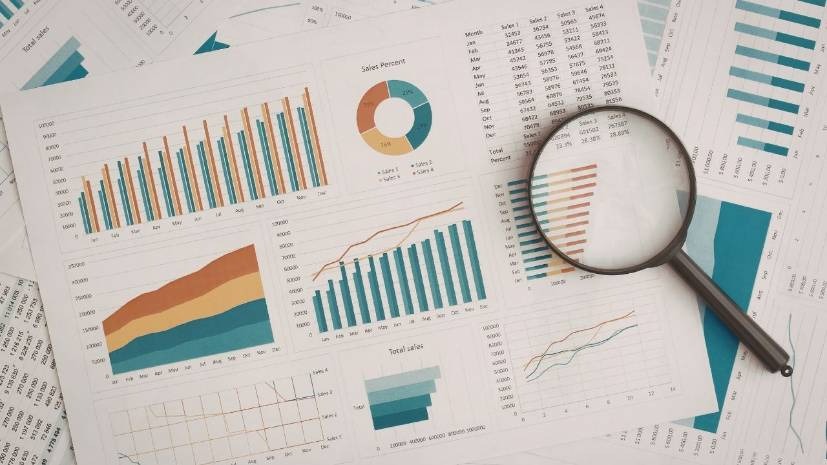
Common OCR Table Extraction Challenges
Despite the high level of development of the OCR technology, there are still a number of difficulties in extracting structured tables out of the scanned PDFs.
Merged Cells in Tables
Merged cells in the tables are characterized as hard to read using an OCR system since the engine has to decide on how the information should be separated through the columns. This may cause wrong column alignment.
Poor Quality Scanned Documentations
Low quality of images is one of the largest drawbacks of Table OCR. Distorted documents, which are either skewed or faded, usually give false results.
Irregular Formatting
There are certain tables that are separated with spaces rather than with borders. OCR systems can take such tables to be paragraphs and not structured data.
Multi-Page Tables
Tables that take more than one page can be extracted, but not in a structurally correct way.
Data Misplacement
Even correct text recognition by OCR can lead to the extracted data being in a different column or row. Top RPA Tools combine machine learning models with enhanced layout perception and assist OCR systems in diagnosing tables in scanned documents.
How OCR Handles Table Structures vs Plain Text
| Feature | Table Extraction | Plain Text Extraction |
| Layout Recognition | OCR detects rows, columns, and cells | OCR reads text sequentially |
| Data Structure | Output preserves tabular structure | Output appears as paragraphs |
| Complexity | High due to layout detection | Lower complexity |
| Error Sensitivity | Formatting issues may affect alignment | Formatting issues rarely affect text |
| Common Use Cases | Invoices, spreadsheets, reports | Letters, articles, documents |
Top OCR Tools for Table Extraction
There are a number of OCR systems popular in tabular data extraction of scanned PDFs. A lot of automation systems developed by the leading RPA Companies in USA utilize them.
Google Document AI
An OCR service implemented using machine learning, which is capable of recognizing document layouts and extracting tabular data in PDFs.
Mozilla Azure Form Recognizer
An online program that can identify structured information including forms and tables of scanned documents.
UiPath Document Understanding
Combining OCR and automation workflows and AI models, one of the most popular Top RPA Tools.
Amazon Textract
An effective service that can directly extract both forms and tables out of scanned documents and PDFs.
Case Studies: Case Studies of OCR Automation
Financial Document Processing
A bank operations firm had to work with thousands of scanned bank statements monthly. The company developed its own version of RPA, which involved developing the OCR automation into the document processing process.
The system was able to detect tables in the bank statements and extract the details of transactions, including dates, descriptions, and amounts. The data were immediately exported to accounting systems.
Consequently, manual data entry was cut by a large margin, and the processing time was cut by over 70%.
Digitization of health care records
Historical records carried in hospitals are usually scanned documents that hold tabular patient data. Healthcare providers used RPA custom development to apply OCR automation to these documents to transform them into structured digital records.
The automation system was able to retrieve patient data stored in a table and move it to electronic health record systems, making it more accessible and compliant.
Conclusion
Tables in PDF files can be successfully removed without human intervention via OCR automation when the document is well formatted and scanned. When developed using RPA, business organizations can forcefully automate the process of extracting tables and save a considerable amount of time on manual data input.
But the accuracy remains to be affected by such factors as document quality, complexity of a table, and OCR capabilities. Reliability and scalability of automated document processing is enhanced with the use of high-end Top RPA Tools, along with verifying with Custom QA automation solutions and low-code no-code development solution platforms.
FAQ’s
How accurate is OCR at extracting complex tables from scanned PDFs with merged cells?
What are the main limitations of OCR for extracting tables from low-quality scanned documents?
Is it possible to automate table extraction from scanned PDFs without manual correction?
How do fonts, borders, and table styles affect OCR’s ability to extract accurate tables?
Can OCR automation handle multilingual tables in scanned PDFs effectively?