
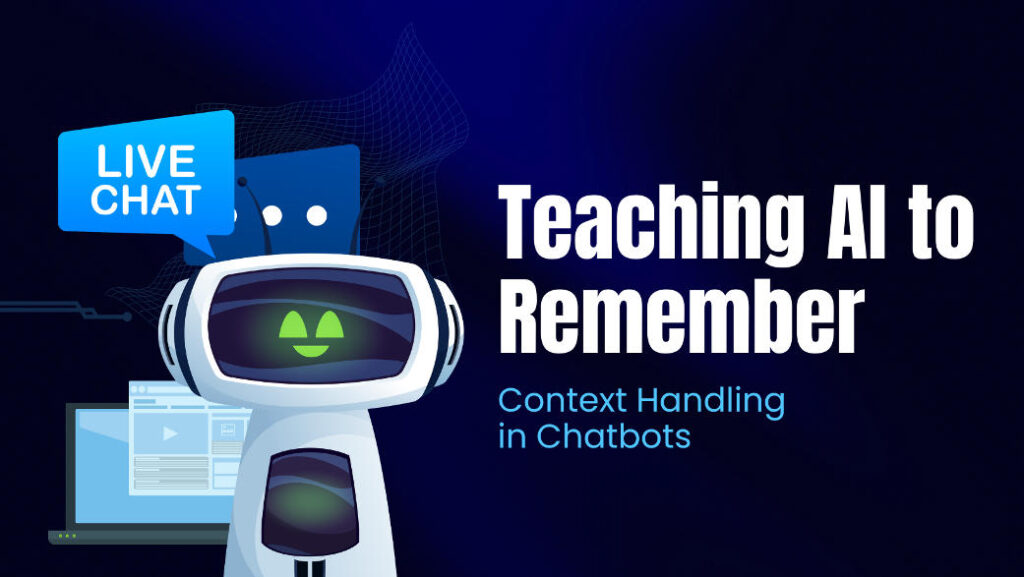
Have you ever talked to a bot that seems to have forgotten what you said five seconds ago? It’s annoying, right?
Now picture your customers experiencing that on your website — it can break trust right away. This is why memory has become such an important feature in today’s AI chatbots.
Whether you offer chatbot app development services, or work for a custom software agency, assisting clients to create chatbots that remember context is no longer an option — it’s the difference between amazing user experiences and frustrated ones.
Why Chatbots Need Memories to “Chat”
The manner in which people speak to chatbots has changed. We no longer merely wonder, “What’s the weather?” — In the role bots will take on — customer service, support tickets, maybe personal recommendations.
And here’s the thing:
If a chatbot does not remember the previous parts of the conversation, users feel like they’re starting from scratch each time. It is the digital equivalent of talking to someone with amnesia.
The 2024-2030 year Grand View Research report indicated that the world chatbot market is projected to grow at a CAGR of approximately 23% and will surpass $27,000 million by the year 2030. The bulk of that growth is coming from AI-powered chatbots for customer service and conversational AI software — both of which depend on long-term context.
So memory’s not that optional add-on.It’s the foundation for natural, helpful, human chatbots.
The Real Challenge: Why A.I. Chatbots Struggle With Memory
Despite their smart-seeming answers, most AI systems can’t actually “remember” — all they do is process certain types of text over a limited window called a context window.
Below are common challenges encountered by those who develop chatbots:
- Context constraints: Large language models (LLM), such as GPT can only manage a few thousand tokens (approximately a few pages of text) until forgetting the older parts.
- Information Overload: Memorising everything you ever said makes the bot lazier and more confused.
- Privacy and risk: Poor storage of sensitive user data can cause compliance failures or trust breakdowns.
- Cost and Latency: Scanning large volumes of memory for every conversation results in high latency, and high hosting costs.
That’s why good chatbot design isn’t all about using a big model — it’s how you architect and manage memory effectively.
How Smart Chatbots Actually Remember Context
Let’s demystify the memory architectures prevalent in today’s AI chatbot development companies and Agentic AI services and solutions.
1. Short-Term Memory
This is the “working memory” — the chatbot remembers only the latest few moves in conversation.
And it’s fast and easy, so well-suited to small talk or shorter sessions.
2. Long-Term Memory
Here’s the powerful part. Here, key information like user details, summaries of previous sessions and repeated preferences is stored in databases or vector stores by chatbots.
For instance:
- Users would like email support rather than chat.
- Client operates a bakery in San Francisco.
- The customer asked twice last month for updates on refunds.
The bot remembers this information when the user returns – a personalised feel.
3. Hybrid Systems
The most sophisticated chatbots combine both–short-term context + long-term storage.
One study from Google DeepMind discovered that hybrid memory systems increased dialogue coherence by 45% more than short-term-only systems. MIT has done some research into the science behind this with memory-efficient chatbots.
Practical Techniques Developers Use
If you are building or adding an AI chatbot for your client, here are the best ways to apply that today.
1. Summarisation-Based Memory
Summarise previous conversations after each session, instead of saving everything.
This ensures the chatbot’s “memory” is compact but relevant. For example:
Instead of storing 100 messages, you would store one line like: “User prefers WhatsApp for order updates.”
This is the way a lot of custom AI development agencies maintain their systems fast and scalable.
2. Retrieval-Augmented Generation (RAG)
It’s the current “in” way. Here’s how: Each time a question is asked, the bot searches its “memory database” for relevant past stored information and uses that information to form an answer.
For example:
- User: “I want the plan you mentioned last month.”
- Bot (memory condition): “Yes, your last subscription plan was ‘Pro Tier’—want me to renew that?”
3. Vector Databases for Semantic Search
Today’s chatbots don’t retain plain text — they retain embeddings, or numerical vectors that assist in the system’s comprehension of meaning.
That way, the chatbot is always able to find similar past data even if the user writes it differently.
For instance, “my favourite colour is blue” and “I like blue stuff” would both link to the same memory.
4. Importance-Based Memory
Not every detail matters. Smart bots assign importance scores — saving what’s important and forgetting idle chat.
This “selective memory” replicates the way humans naturally forget less useful info.
It’s a major area of focus in Agentic AI services and solutions, where the AI is trained to learn which context is more valuable, so its responses are quicker and cleaner.
Developing a Chatbot with Memory: A Basic Walkthrough
So if you’re also planning to build AI chatbot for business or want to hire AI chatbot developers who are experts, here’s a simplified approach which is followed by almost every other company that is working on AI Chatbots:
| Step | What to Do | Why It Matters |
| Define goals | Please specify whether the chatbot is for support, sales or engagement. | Different objectives require different memory logic. |
| Choose your tools | Choose frameworks that support RAG or persistent memory, such as LangChain or Botpress. | Saves you time and works with low-code and no-code development tools. |
| Add data storage | Leverage databases such as Pinecone, Weaviate or PostgreSQL. | Enables recall of past conversations. |
| Integrate summarization | Compile the chats from users daily or at the end of a session. | Keeps context compact and useful. |
| Implement privacy | Let people see or remove their stored information. | Builds trust and compliance. |
| Test memory recall | Seek answers which lean on historic data to confirm the truth. | Ensures memory works correctly. |
Unlike legacy bots that forget everything after you end a chat, these new models are being trained to remember conversations from long ago. That way they can remember user preferences, past conversations and the context of a conversation over time — just like we do as humans. If you’re interested in seeing that concept applied more concretely, OpenAI has had some great technical deep dives into memory and long-term context.
Contextual chatbots perform very well in the following use cases:
1. Customer Support
Bots can even remember past issues or tickets with persistent memory, which reduces resolution time by as much as 60%, a Salesforce study found.
This is why most of the new-age AI chatbots for customer support platforms are based on RAG or memory modules.
2. eCommerce & Lead Generation
If you build an AI chatbot with memory, it can remember user-viewed or requested products, which in turn creates a personalised shopping experience.
3. Healthcare & Finance
Chatbots that know exactly what has been previously consulted or the financial history for each user — and consistently provide them (with heavy compliance layers, of course).
4. Internal Business Tools
A lot of custom software agencies themselves use chatbots internally for HR, IT and employee onboarding. By using context memory, bots have the ability to remember an employee’s query across sessions — meaning increased productivity and lower ticket volume.
Bringing Memory into the World of Low-Code / No-Code Tools
If you are using a low-code no-code development solution, you do not have to reinvent the wheel.
Platforms like:
- Zapier Interfaces
- Voiceflow
- Botpress
- Make.com
Currently supports the persistent user memory and external APIs.
Get started by connecting them to a vector database or an LLM using API keys.
This has helped smaller businesses without strong coding expertise to get access to chatbot app development services.
A Word on Privacy and Security
As thrilling as memory can be, it carries responsibility.
A bot that recalls what a user likes should also be:
- Encrypt all stored data
- Ask for consent before saving memory
- Allow deletion of past data
In fact, Anthropic’s Claude AI also brought in memory transparency features so you can see what the bot remembers — a cool path forward for future AI automation for business solutions.
Final Thoughts
AI chatbots are moving beyond simplistic question and answer experiences into intelligently conversational agents that can think, remember and respond contextually on various details about the user.
To make that happen:
- Utilise systems of hybrid memory (short + long-term).
- Periodically summarise and discard old context.
- Always prioritise privacy and speed.
- And if you’re providing chatbot app development services, or your speciality is in Agentic AI services and solutions, make context retention a fundamental feature, not an afterthought.
No matter if you are a custom software agency or a startup, or the one searching for how to have an website development services for user-intent functionality or a AI chatbot for website, therefore always keep in mind:
- Today’s top chatbots do more than simply talk back — they recall the last thing you said.
It’s what transforms conversations into relationships.